untitled-project
Spinning up preview...
Instantly preview your changes
Set custom knowledge for every edit
Connect Supabase for backend
Complete Guide
View Pricing

Create Stunning Websites with AI

Transform your ideas into professional websites in minutes. No coding required. Just chat with Webcraft, our AI assistant.

Webcraft prépare votre projet...
Essayez :

From the Community

View all

Loading templates...

Simple, Transparent Pricing

Start free, upgrade when you need more. No hidden fees.

Monthly
Yearly -20%

Starter

For freelancers and small teams getting started

29 /month
  • 1 sites web
  • 30 requêtes Webcraft IA/mois
  • Tous les templates
  • Export HTML/CSS/JS
  • Support email (48h)

Enterprise

For agencies and teams with unlimited needs

249 /month
  • Tout dans Pro, plus :
  • Sites illimités
  • Requêtes IA illimitées
  • API complète
  • White-label (sans branding)
  • Support VIP (2h)
  • Account Manager dédié

Frequently Asked Questions

Can I change my plan at any time? ?
Yes, you can upgrade or downgrade your plan at any time. Changes are immediate and pricing is adjusted pro-rata.
What is Webcraft Max? ?
Webcraft Max is our advanced AI code generation system. It allows you to create complete websites from simple text descriptions. Available starting with the Pro plan.
Are payments secure? ?
Absolutely. We use Stripe to process all payments. Your banking information is encrypted and never stored on our servers.
Can I cancel my subscription? ?
Yes, you can cancel at any time without fees. Your access will remain active until the end of the paid period.
Do you offer a student plan? ?
Yes! Students get 50% off on all plans. Contact us with your student ID to activate the offer.

WebCraft Community

Discover, share and get inspired by community creations. Thousands of projects to explore and use.

-
PROJECTS SHARED
-
CREATORS
-
TOTAL VIEWS

Loading projects...

Community Reviews

Share your experience and help others discover great projects

0
Total Reviews
0.0
Average Rating

Loading reviews...

Community Forum

Discuss, ask questions, and share knowledge with the WebCraft community

Loading threads...

For enterprise teams

Build, validate, and deploy with confidence

From first prompt to production package, WebCraft helps teams ship real full-stack websites with clear handoff and safer edits.

From idea to deployable project, fast

Create complete websites quickly, iterate with AI + visual edit, then ship a deployable package your team can run immediately.

Collaboration without bottlenecks

Product, design, and engineering can work on the same project: visual edits for speed, code review for control, and safer handoff for production.

Full-stack export ready for hosting

Export a complete package with frontend + PHP backend + API + install wizard. Deploy on standard hosting (IONOS, OVH, cPanel) without rebuilding from scratch.

Reliable updates at scale

Preview changes before applying, review diffs by file, and approve with Apply/Cancel. This helps teams chain many edits while reducing break risks.

Governance, traceability, ownership

Access control, version history, backups, and white-label options. You keep ownership of your generated code and can continue in your own workflow.

Join the next wave of change makers

"WebCraft has transformed how we create websites. What used to take weeks with our development team now takes just hours. The WYSIWYG editor and AI allow us to prototype quickly and iterate until we get exactly what we want."

PM
Product Manager
Enterprise digital team

"Clean code export is a game-changer. We can create quickly with WebCraft, then our technical team takes the standard code to integrate it into our infrastructure. It's the best of both worlds: fast creation and total technical control."

CT
Technical Lead
Digital agency

Make your team unstoppable.

for Product Managers

  • Interactive prototypes that look and feel real, in minutes not weeks
  • Create multi-page sites with navigation management and complete structure
  • Full-stack export with ready structure (public, api, includes, admin, storage)
  • Built-in install flow to configure environment and database quickly

for Designers

  • WYSIWYG editor for direct creative control over layouts, styles, and themes
  • Brand Kit to manage your colors, fonts, and visual identity consistently
  • Professional templates and premium components to accelerate creation
  • Production-ready HTML/CSS/JS handoff with predictable project structure

for Engineering

  • Real standard code (HTML + CSS + JavaScript + PHP), not locked proprietary output
  • Clearer requirements because visual prototypes reveal edge cases early
  • Diff-based review flow (preview, apply, cancel) to secure frequent edits
  • Unlimited versioning to track all changes and roll back if needed

for Marketers

  • Launch branded landing pages, internal tools, and experiences quickly
  • Keep everything consistent with Brand Kit and shared templates across projects
  • Built-in SEO and content tooling to improve visibility
  • Structured export for faster deployment across campaigns and client sites

Security & governance

Enterprise-ready governance

  • Team access control with role-aware workflows
  • Secure authentication with session and token management
  • Complete code export - you own 100% of your code
  • Standard stack: HTML, CSS, JavaScript, and PHP compatible with common hosts
  • Automatic daily backup of all your projects
  • White-label available to remove WebCraft branding

Integrations and ecosystem

Keep your current process. WebCraft produces standard deliverables your team can review, deploy, and maintain.

Export and deployment

Export full-stack ZIP packages including frontend, API, PHP core, `install.php`, `.env.example`, and `schema.sql` for clean deployment.

Operational handoff

Teams can validate changes with diff review, apply safely, and hand projects to developers with a predictable structure and clear entry point.

Standard and compatible code

The generated code uses standard HTML/CSS/JS/PHP. It can be hosted as-is and extended by any developer with no lock-in.

Enterprise plan and support

Dedicated support for enterprise customers

  • Priority response times to keep your team productive
  • Comprehensive onboarding to configure your workspace and get building
  • Ongoing training to master WebCraft and adopt best practices
  • Direct product team access for custom integrations and roadmap input
  • Dedicated guidance to deploy and scale AI professionally

Ready to see what's possible?

Frequently asked questions

How does code ownership work? ?
You completely own the code of your WebCraft applications. You can export the code as ZIP at any time with all files (HTML, CSS, JavaScript). There is no lock-in - the code is standard and can be used on any host. WebCraft applications are built with HTML, CSS, JavaScript, and PHP, which any developer can work with. You can then import this code into GitHub or any other system of your choice.
What security certifications do you have? ?
WebCraft provides practical governance features: controlled collaboration, backups, version history, and full code ownership. If your organization needs specific certifications or SSO requirements, contact sales to review fit before rollout.
How is WebCraft different from traditional development tools? ?
Traditional dev tools focus on engineering productivity only. WebCraft combines AI generation, visual editing, code access, and safer diff-based apply flow so business teams and developers can ship together without losing technical control.
What support do enterprise customers get? ?
Enterprise support includes priority SLAs with guaranteed response times, comprehensive onboarding and workspace configuration, support for security/compliance review, and ongoing training to master best practices. You also get a direct line to our Product team for integrations and roadmap input, plus dedicated expert guidance to deploy AI at scale.

Welcome to your dashboard, User

Manage your projects, profile and explore all WebCraft features.

Create a Website
Use our AI builder to create professional websites in minutes. Webcraft, our AI assistant, guides you every step of the way.
My Projects
Find all your saved projects. Edit, export or delete your creations.
Explore Templates
Discover our 18 professional templates. Restaurant, store, portfolio, SaaS and more.
My Profile
Edit your personal information, change your password and manage your preferences.
Messages & Support
Contact our support team. We typically respond within 24 hours.
My Subscription
View your current plan, quotas and upgrade to a higher plan if needed.

Dashboard

Loading...
-
Projects Created
-
AI Requests Used
-
AI Requests Available
-
Member Since

AI Requests Usage

0%

Loading usage data...

My Projects

New Project

Loading your projects...

Professional Templates

My Profile

U

Username

email@example.com

Messages & Support

No messages yet. Ask your first question below!

New Question

My Subscription

Loading...

Buy Webcraft Requests

Need more AI requests? Buy a bonus pack without changing your plan.

Loading packs...

Prochaines Étapes

  1. Ouvrez le Builder pour créer votre premier site
  2. Explorez les Maquettes pour vous inspirer
  3. Utilisez Webcraft IA pour générer du contenu automatiquement
  4. Exportez votre projet en ZIP ou déployez-le directement
Complete Guide

Master WebCraft Builder The Ultimate AI Website Creator

Learn how to create stunning websites, SaaS applications, e-commerce stores, and portfolios using our powerful AI assistant. From beginner to expert in minutes.
< 1min To create a site
100% Code ownership
8 Possibilities
Start Building Now
WebCraft Builder
AI Assistant
const site = "Amazing";
01

Understanding the Interface

The WebCraft Builder is divided into 3 main areas for maximum productivity

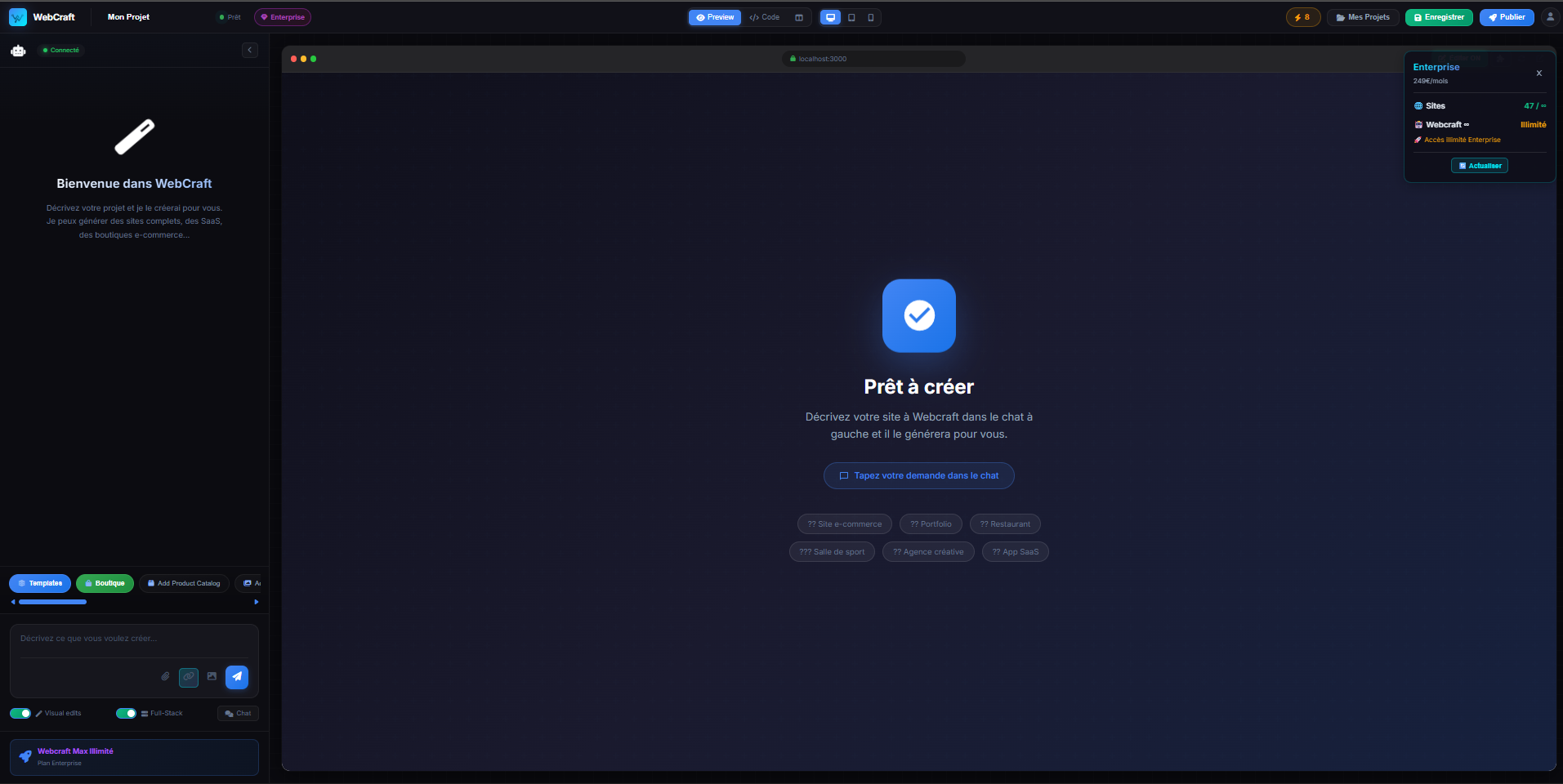
AI Assistant Panel

Your creative partner. Describe what you want, and the AI creates it for you.

  • Natural language prompts
  • Quick action buttons
  • Template shortcuts
  • Full-Stack mode toggle
  • Conversation history
Pro Tip: Be specific in your requests. Instead of "make a website", say "create a modern SaaS landing page with pricing cards".

Live Preview

See your website in real-time as the AI generates it. Edit elements directly!

  • Real-time preview
  • Device switching (Desktop/Tablet/Mobile)
  • Visual editing mode
  • Click-to-edit elements
  • Instant updates
Pro Tip: Enable "Visual edits" to click on any element in the preview and modify it directly!

Code Editor

Full access to your code. Monaco Editor with syntax highlighting and auto-complete.

  • Monaco Editor (VS Code engine)
  • Multi-file support
  • Syntax highlighting
  • File explorer
  • Live sync with preview
Pro Tip: Press Ctrl+Space for autocomplete suggestions in the editor!

View Modes

Preview Mode

Full-screen preview of your website. Perfect for reviewing your design.

Code Mode

Full-screen code editor. Ideal for making manual code changes.

Split Mode

Side-by-side code and preview. Best for development workflow.

02

Create Your Website Step by Step

Follow these simple steps to create your perfect website

1

Open the Builder

Click the "Start Building" button from the homepage or go directly to the builder.

Access the Builder

webcraft-builder.html

Or click "Start Building" from any page

2

Describe Your Project

Type your request in the AI chat. Be as detailed as possible for best results.

Example Prompt

"Create a modern SaaS landing page for a project management tool called 'TaskFlow'. Include a hero section with gradient background, features grid with icons, pricing table with 3 plans, testimonials carousel, and a footer with newsletter signup."

Good Prompt Includes: Type of site, name/brand, specific sections, style preferences, color scheme
3

Watch the Magic Happen

The AI generates your website in real-time. You'll see the code being written and the preview updating live.

Generating your website...

? AI creates HTML, CSS, and JavaScript simultaneously

4

Refine and Customize

Ask the AI to make changes, or edit directly in visual mode or code editor.

Via Chat

"Change the primary color to purple" or "Add a FAQ section"

Visual Edit

Click any element in the preview to modify text, colors, or styles

Code Editor

Edit HTML, CSS, or JS directly with full control

5

Save and Publish

Save your project to the cloud, then publish with one click!

03

Write Effective Prompts

The key to getting exactly what you want is in how you ask

The Perfect Prompt Formula

Action Create / Build / Design
+
Type SaaS / E-commerce / Portfolio
+
Style Modern / Minimal / Colorful
+
Details Sections, Colors, Features

SaaS Landing Page

Good

"Create a modern SaaS landing page for an AI writing tool. Include: animated hero with typing effect, 4 feature cards with icons, pricing table (Free/Pro/Enterprise), customer testimonials, dark theme with purple accents."

Too Vague

"Make a website for my app"

E-commerce Store

Good

"Build a luxury fashion e-commerce homepage with: hero slider, featured products grid (6 items), shopping cart icon with counter, newsletter popup, categories sidebar, elegant black and gold color scheme."

Too Vague

"Create an online store"

Portfolio

Good

"Design a creative portfolio for a UI/UX designer named 'Alex'. Include: large hero with name animation, project gallery with hover effects, skills section with progress bars, contact form, dark theme with neon green accents."

Too Vague

"Make me a portfolio"

Modifications

Specific

"Change the hero title to 'Welcome to TaskFlow' and make the CTA button larger with a gradient from blue to purple"

Targeted

"Add a new testimonial card with a photo, name 'Sarah M.', 5 stars, and quote 'Best tool ever!'"

Pro Tips for Better Results

Be Specific

List exact sections, colors, and features you want

Mention Style

Modern, minimal, colorful, dark, glassmorphism, etc.

Target Changes

For modifications, specify exactly what to change

Iterate

Ask for changes one at a time for best results

04

Advanced Features

Unlock the full power of WebCraft Builder

Ready-Made Templates

Start with professionally designed templates and customize to your needs.

SaaS
E-commerce
Portfolio
How to use:

Click the Templates button in the Quick Actions bar

PRO

Full-Stack Mode

Generate a complete full-stack project with PHP backend, API routes, admin pages, and database setup files.

public/ + api/ + includes/
install.php + schema.sql
.env.example + .htaccess
How to use:

Toggle Full-Stack mode in the input options

Visual Editing

Click any element in the preview to edit text, styles, or delete it.

Click me!
How to use:

Enable Visual edits toggle, then click elements in preview

Multi-Page Sites

Create complete websites with multiple pages and navigation.

index.html about.html contact.html + Add Page
How to use:

Ask the AI: "Create an about page for this site"

Quick Actions

One-click buttons to add common components instantly.

Contact Form Testimonials Stripe Payment
How to use:

Click buttons in the Quick Actions bar above the chat input

Project Management

Save, load, and manage multiple projects in the cloud.

My Portfolio
Shop v2
Dashboard
How to use:

Click My Projects button in the top bar or press Ctrl+O

05

Publish & Export

Publish quickly, or export production-ready packages for your own hosting.

Download ZIP

Download your frontend files in a ZIP package when you only need static delivery.

Complete source code All assets included No watermarks
project.zip (HTML, CSS, JS, images)
PRO

Full-Stack Export

Export a complete full-stack package designed for direct deployment on common PHP hosts.

PHP backend and API endpoints Install wizard (`install.php`) Environment and SQL setup files IONOS-ready structure
public/, api/, includes/, install.php, schema.sql

Deploy on your hosting

Upload the package to your host (IONOS, OVH, cPanel), run install, and go live.

IONOS
OVH
cPanel
06

Keyboard Shortcuts & Tips

Work faster with these productivity boosters

Keyboard Shortcuts

Ctrl + S Save project
Ctrl + O Open projects
Ctrl + E Toggle code editor
Ctrl + P Quick preview
Ctrl + Enter Send message to AI
F11 Fullscreen preview

Pro Tips

1

Use templates as starting point - It's faster to customize a template than to start from scratch.

2

Be specific with colors - Say "blue #4285f4" instead of just "blue" for exact results.

3

One change at a time - For modifications, ask for one thing at a time for better accuracy.

4

Use Visual Edit mode - Click directly on elements to modify text and styles quickly.

5

Save frequently - Your projects are saved in the cloud, but save often with Ctrl+S.

Ready to Build Your Website?

Join thousands of creators who build stunning websites with AI. Start for free!